EW-F601P WiFi 6 PoF Optical Ceiling AP with 2.5G Port
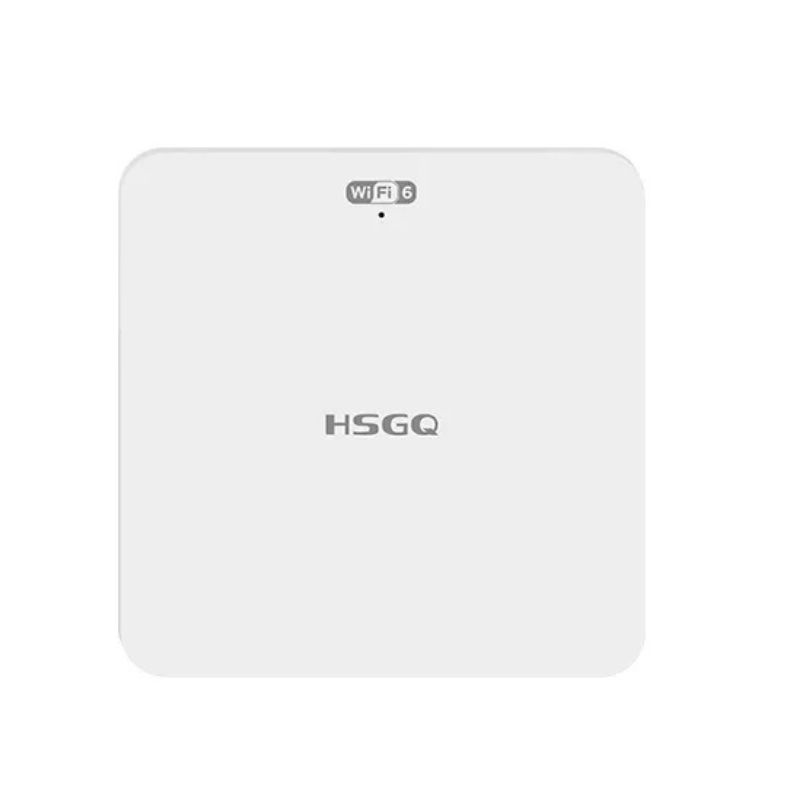
EW-F601P WiFi 6 PoF Optical Ceiling AP with 2.5G Port
•PoF Ceiling Installation: Directly mounted on the ceiling. In PoF mode, data and power are delivered through one optical-electric hybrid cable, eliminating the need for a separate power adapter near the AP.
•WiFi 6 Wireless Access: Supports AX3000 dual-band WiFi 6 for stable wireless access in offices, hotels, schools, shopping malls, and other indoor environments.
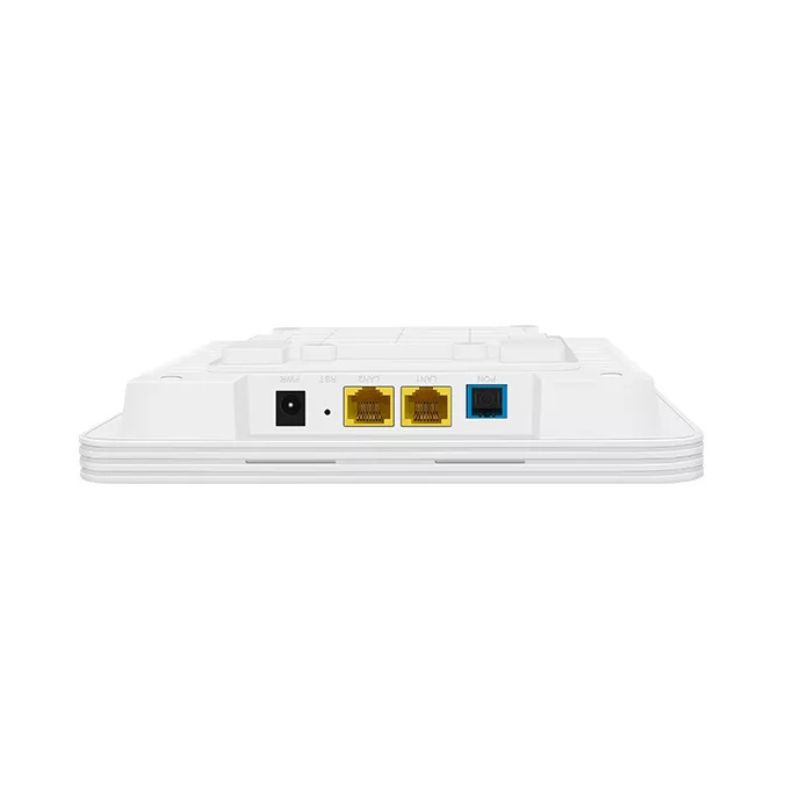
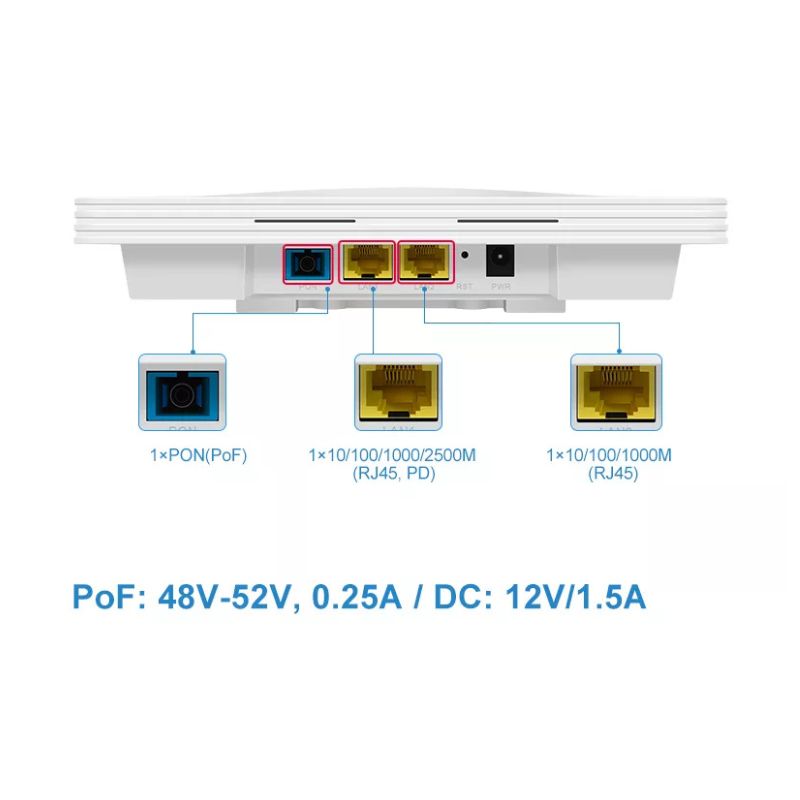
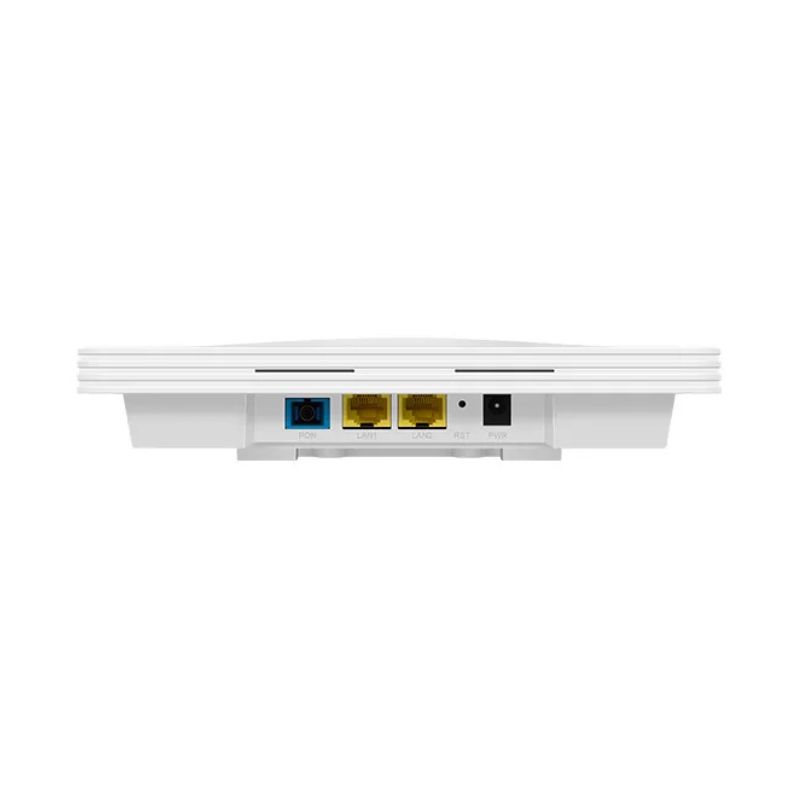
•2.5G Wired Connectivity: Equipped with one GE LAN port and one 2.5GE RJ45 PD port to support higher-capacity wired access.
•Flexible Power Options: Supports both PoF and DC power input, allowing the installation method to match the available network and power infrastructure.
•Centralized Management: Supports OLT-based remote management, OMCI, TR-069, local console management, and cloud management in compatible environments.
•Indoor Application: Suitable for hotel rooms, meeting rooms, office buildings, schools, shopping malls, and other multi-AP indoor networks.
EW-F601P PoF Ceiling-Mounted Optical AP
EW-F601P is a PoF ceiling-mounted optical AP in an FTTH solution. EW-F601P provides 1×GE LAN port, 1×2.5GE PD port and AX3000 WiFi, high-speed access, downlink 2.5 Gbps, uplink 1.25 Gbps. It supports plug-and-play, OMCI and TR069 remote maintenance functions, and supports optical-electrical hybrid cable access with no power adapter required.
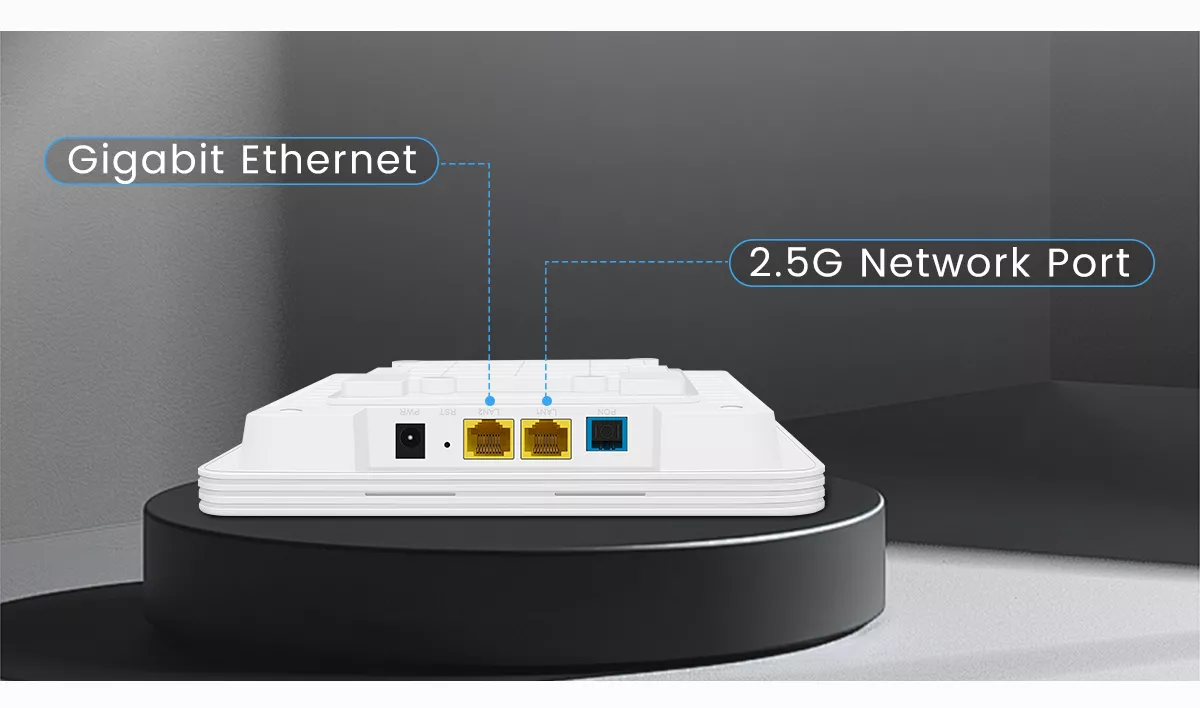
Gigabit Ethernet ONU
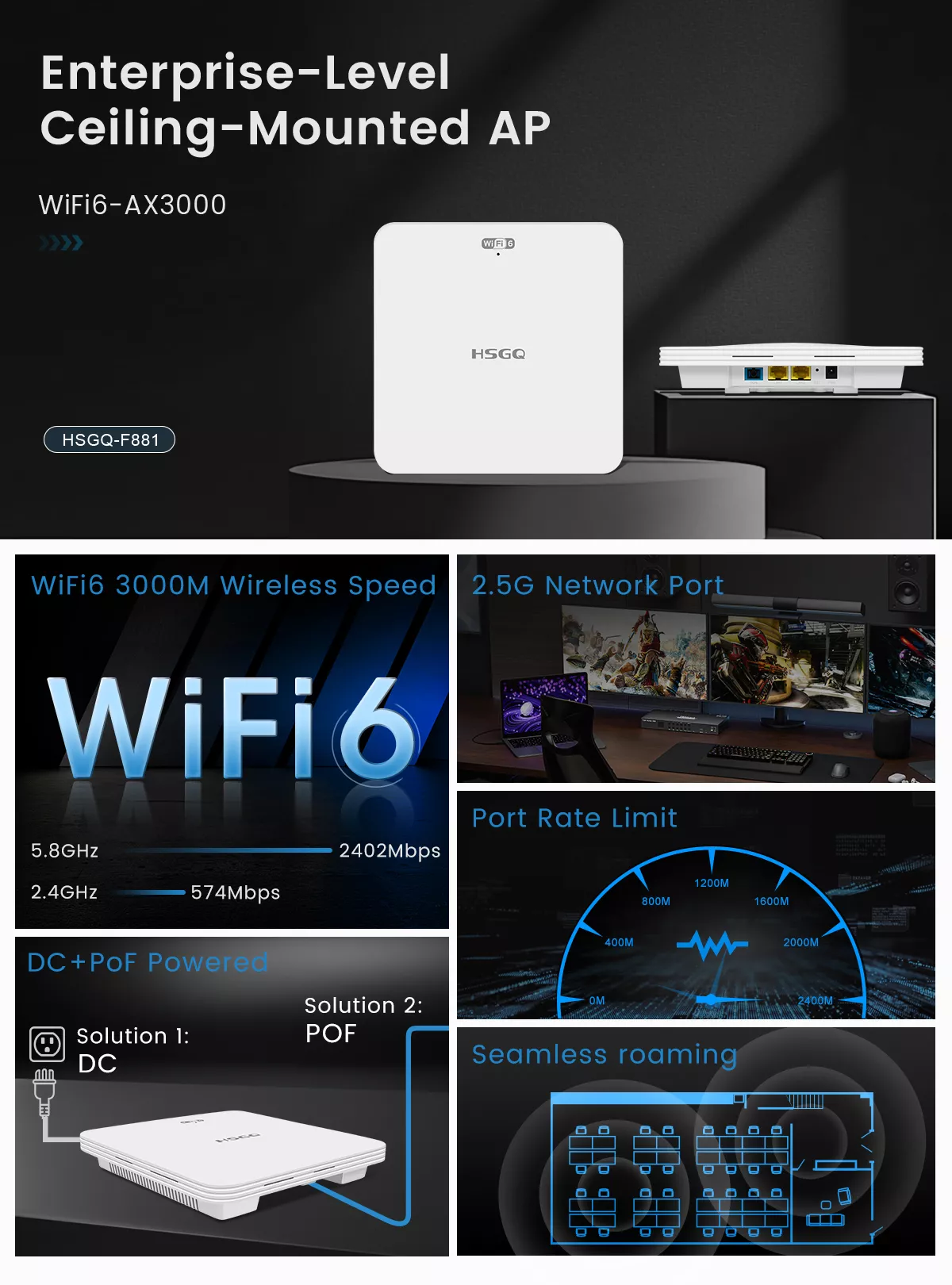
The use of Gigabit network port and 2.5G network port configuration can break through the limitations of Gigabit broadband, access higher-specification broadband, and provide a more stable and smooth Internet experience.
DC+PoF Power Supply
Standard PoF power supply, easy to install, with no external power supply required. Each AP can be powered by just one PoF cable connection.
Smart Roaming Technology
In multi-AP environments such as conference rooms, shopping malls, KTVs, offices, etc., it helps mobile phones, computers, and other terminal devices automatically access the AP with the best signal to improve user experience.
Port Rate Limit
You can set the port rate to limit the different usage rates of different ports.
WiFi 6 Internet Speed
The 5G band supports 160MHz ultra-wide bandwidth, which doubles the speed compared to the traditional AX1500 and AC1200. It supports WiFi 6 technology, dual-band concurrency, wireless rate up to 2976Mbps, lower latency and faster speed. 4K movies and high-definition online games are no problem.
| Item | EW-F601P |
| User Interface | 1*GE RJ45 |
| 1*2.5GE RJ45 PD | |
| 2.4 GHz: 574Mbps, 5.8GHz: 2402Mbps | |
| PON | GPON and EPON mode self-adaptation
Interface mode: Optical-electric composite cable |
| GPON: upstream 1.25Gbps /downstream 2.5Gbps
Transmit optical power: 0~4dBm Optical Power: -7dBm~-28dBm |
|
| EPON: upstream 1.25Gbps /downstream 1.25Gbps
Transmit optical power: 0~4dBm Optical Power: -7dBm~-27dBm |
|
| PoF Input voltage: 48V-57VPoF
Transmission distance: 300m |
|
| Ethernet | 1*10/100/1000/2500M self-adaption |
| Transmission distance:100m | |
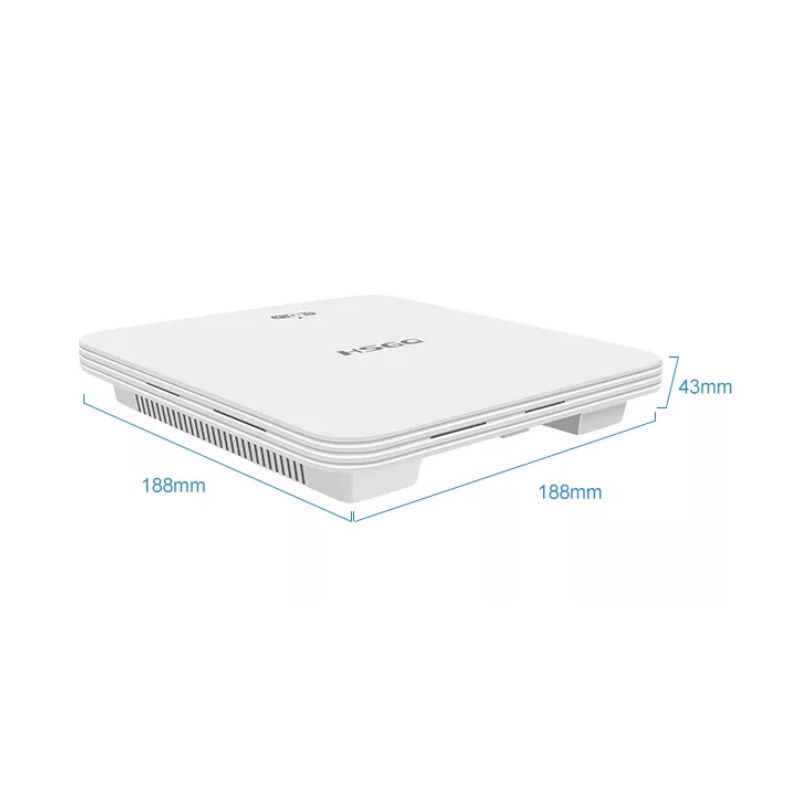
| Size | 188mm x 180mm x 43mm |
| Environment | Operating temperature: -10°C~50°C |
| Operating humidity: 0%~85% (non-condensing) | |
| Storage temperature: -40°C~80°C | |
| Storage temperature: 5%~95% (non-condensing) | |
| Power Supply | PoF: 48V-52V, 0.25A |
| DC: 12V/ 1.5A | |
| Power Consumption | <12W |
- Adopting point-to-multipoint network topology, effectively collectingand converging the scattered Ethernet services of users, and providingstandard RJ45 Fast Ethernet interface on the user side.
- Dynamic bandwidth allocation mechanism enables all users to sharebandwidth more reasonably, achieve reliable quality of service (QoS), andensure the service quality of different services in the same network.
- Support lGMP multicast to effectively utilize broadband.
- Support multicast VLAN.
- Provides remote management via OLT and supports local console management.
- Support line loopback detection function of user-side Ethernet interface.
- Support IEEE 802.1q VLAN protocol.
- Support broadcast storm suppression.
- Support lEEE802.3x flow control (full duplex).
- Support lEEE 802.1p, CoS protocol.
- Support WR and SP queue scheduling algorithms.
- Support port speed limit.
- Support -10°C~50°C working environment.
- Supports IPv4 and lPv6.
- Support cloud management.
- Support PoF, support PD.
Product Overview
EW-F601P is a WiFi 6 PoF optical ceiling AP designed for FTTH and indoor wireless access. It provides one GE LAN port, one 2.5GE PD port, and AX3000 dual-band WiFi. Through an optical-electric hybrid cable, the AP can receive both network data and power through one connection, eliminating the need for a separate power adapter at the ceiling. It also supports plug-and-play installation, OMCI, and TR-069 remote maintenance, making it suitable for offices, hotels, schools, and other PoF network solutions.Technical Parameter
| Item | EW-F601P |
|---|---|
| User Interface | 1 × GE RJ45 |
| User Interface | 1 × 2.5GE RJ45 PD |
| WiFi Rate | 2.4 GHz: 574Mbps, 5.8GHz: 2402Mbps |
| PON Mode | GPON and EPON mode self-adaptation |
| Interface Mode | Optical-electric composite cable |
| GPON | Upstream 1.25Gbps / Downstream 2.5Gbps |
| GPON Transmit Optical Power | 0~4dBm |
| GPON Optical Power | -7dBm ~ -28dBm |
| EPON | Upstream 1.25Gbps / Downstream 1.25Gbps |
| EPON Transmit Optical Power | 0~4dBm |
| EPON Optical Power | -7dBm ~ -27dBm |
| PoF Input Voltage | 48V-57V PoF |
| Transmission Distance | 300m |
| Ethernet | 1 × 10/100/1000/2500M self-adaption |
| Ethernet Transmission Distance | 100m |
| Size | 188mm × 180mm × 43mm |
| Operating Temperature | -10°C ~ 50°C |
| Operating Humidity | 0% ~ 85% (non-condensing) |
| Storage Temperature | -40°C ~ 80°C |
| Storage Humidity | 5% ~ 95% (non-condensing) |
| PoF Power Supply | 48V-52V, 0.25A |
| DC Power Supply | 12V / 1.5A |
| Power Consumption | <12W |
AX3000 Dual-Band Wireless Coverage
The EW-F601P supports dual-band WiFi 6 with wireless rates of up to 574 Mbps on the 2.4 GHz band and 2,402 Mbps on the 5 GHz band. Its AX3000 wireless capacity provides a practical solution for indoor environments that require stable access for multiple users and devices. The AP supports multi-AP deployment and smart roaming, helping users maintain more consistent wireless access when moving between connected coverage areas.2.5G Network Port for Higher-Speed Uplinks
Alongside the Gigabit Ethernet interface, the EW-F601P provides a 2.5GE RJ45 PD port with 10/100/1000/2500M auto-negotiation. The higher-speed port helps reduce the limitations of conventional Gigabit uplinks and provides additional capacity for broadband access and compatible downstream devices.DC and PoF Power Supply for Flexible Installation
The EW-F601P supports both DC and PoF power input. When connected to a compatible PoF optical router, the AP can receive power and optical data through an optical-electric hybrid cable. This design reduces the need for a separate power outlet or local power adapter near the ceiling. It is suitable for meeting rooms, shopping malls, hotel apartments, offices, and other indoor areas where power wiring is limited or inconvenient.Smart Roaming for Multi-AP Indoor Networks
In multi-AP environments, smart roaming helps client devices connect to the AP with the strongest available signal as users move through different coverage areas. This is useful for front desks, meeting rooms, offices, corridors, and other connected indoor spaces that require continuous wireless access.Port Rate Limit for Bandwidth Control
The port rate limit function allows administrators to set different traffic rates for connected ports or access terminals. This helps distribute available bandwidth more deliberately when multiple users and devices share the same network.160 MHz WiFi 6 for High-Speed Access
The 5 GHz band supports 160 MHz channel bandwidth and dual-band concurrent access. With a combined wireless rate of up to 2,976 Mbps, the EW-F601P can support high-speed applications such as video streaming, cloud access, online conferencing, and other bandwidth-intensive services. Actual wireless performance depends on client devices, channel conditions, network capacity, installation height, and the surrounding environment. For multi-AP deployment planning, refer to the PoF network planning guide.Key Features of the EW-F601P PoF Ceiling AP
Point-to-Multipoint Network Access
The EW-F601P supports a point-to-multipoint network topology for collecting and converging distributed Ethernet services. It provides standard RJ45 Ethernet access on the user side and can be integrated into structured PON and PoF access networks.Dynamic Bandwidth Allocation and QoS
Dynamic bandwidth allocation allows connected users and devices to share network capacity more efficiently. The AP supports QoS-related functions, IEEE 802.1p and CoS protocols, as well as WR and SP queue scheduling algorithms to help manage traffic priorities.Multicast and VLAN Support
The EW-F601P supports IGMP multicast and multicast VLAN for efficient delivery of multicast services. It also supports the IEEE 802.1Q VLAN protocol for network segmentation and traffic management.Link Monitoring and Traffic Protection
Line loopback detection helps identify abnormal conditions on the user-side Ethernet interface. Broadcast storm suppression and IEEE 802.3x full-duplex flow control help improve traffic stability within the connected network.PON Access and Remote Management
The AP supports GPON and EPON mode self-adaptation for connection to compatible PON access networks. It can be managed remotely through the OLT and also supports local console management for installation, configuration, and maintenance.IPv4, IPv6, and Cloud Management
The EW-F601P supports both IPv4 and IPv6 networks. Cloud management is also available for centralized device configuration, monitoring, and maintenance in suitable network environments.PoF and PD Support
The EW-F601P supports PoF power input through an optical-electric hybrid cable and is compatible with PD-based deployment requirements. This allows the AP to receive power through the network connection in supported PoF architectures.Operating Temperature
The AP supports an operating temperature range of -10°C to 50°C. The installation environment should also provide suitable ventilation and protection from excessive moisture, dust, and physical interference.Network Connection Workflow
The EW-F601P is normally deployed as the wireless endpoint in a PON and PoF access network. The typical connection path is: OLT → Central PoF Router → Optical-Electric Hybrid Cable → EW-F601P → WiFi Clients and Ethernet Devices Before finalizing the installation, confirm that the AP can register with the upstream PON system, that the hybrid cable is correctly terminated, and that the required wired and wireless services are available at the endpoint.Ceiling Placement and RF Planning
The mounting position of a ceiling AP affects signal distribution, roaming performance, and user experience. The EW-F601P should be installed near the planned coverage area and kept away from large metal obstructions, enclosed cabinets, and other structures that may weaken wireless signals. For multi-AP projects, AP spacing should be determined through a site survey rather than a fixed coverage radius. The survey should consider ceiling height, wall materials, expected user density, application traffic, and possible sources of wireless interference.Pre-Deployment Acceptance Testing
A sample installation is recommended before bulk deployment. The acceptance test should include:- GPON or EPON registration with the upstream OLT
- Optical link stability and cable termination quality
- PoF or DC power input according to the selected installation method
- 1GE and 2.5GE link negotiation
- Wired and wireless data forwarding
- VLAN, multicast, and port rate limit functions
- Smart roaming between multiple APs
- Remote management and local maintenance access
- Continuous operation under the planned network load
When to Choose a PoF Ceiling AP
The EW-F601P is a suitable option when a project requires ceiling-mounted WiFi 6 access together with fiber-based backhaul and centralized remote power. It is especially useful when:- Ceiling power outlets are limited or difficult to install
- APs need to be placed far from the equipment room
- The project uses GPON or EPON access infrastructure
- A 2.5G wired interface is required for the AP
- Multiple APs must be deployed across offices, hotels, schools, or commercial buildings
- The network requires a centralized power and access architecture